Skip to content

ONE PLATFORM FOR BUSINESS GROWTH

Connect your channels.
Turn enquiries into customers.
Keep customers coming back.

Get Started
Smiling business owner managing customer enquiries on her phone
New enquiryHi! Do you offer…
PRICE?on your Reel
Can I book this?10m ago
Great video!1h ago
Amazing service!2h ago
Customer booked
Payment received₹2,500
Invoice sent
Next renewal12 Nov 2026

How Raunix Rise Works

  1. 1Connect
  2. 2Engage
  3. 3Convert
  4. 4Retain

1Connect
your channels

Connect

2Capture and
answer enquiries

Hi! Do you offer…
PRICE?
Can I book this?
Great video!
Amazing service!

3Turn interest
into action

Bright workspace with a laptop and plantWebsite MaintenanceMonthly Plan₹2,500 / month
Pay Now
Invoice

4Follow up and
retain customers

Next renewal12 Nov 2026
Your renewal is due soon!Keep your website running smoothly.

SEE WHAT RISE CAN DO

Your channels. Brought to life.

01WhatsApp

From the first hello to the next sale.

Reply, share products and follow up—in one customer journey.

  • AI & welcome replies
  • Template broadcasts
  • Product links
  • Shared team inbox
  • Customer labels
  • Delivery tracking
Explore features

Build keyword reply flows, use rich-media templates, choose opted-in audiences, organise contacts with tags and lists, and track campaign delivery. Add notes, saved replies and teammate assignments in your shared inbox.

Meta connection, customer consent and approved templates are required where applicable.Get started with WhatsApp
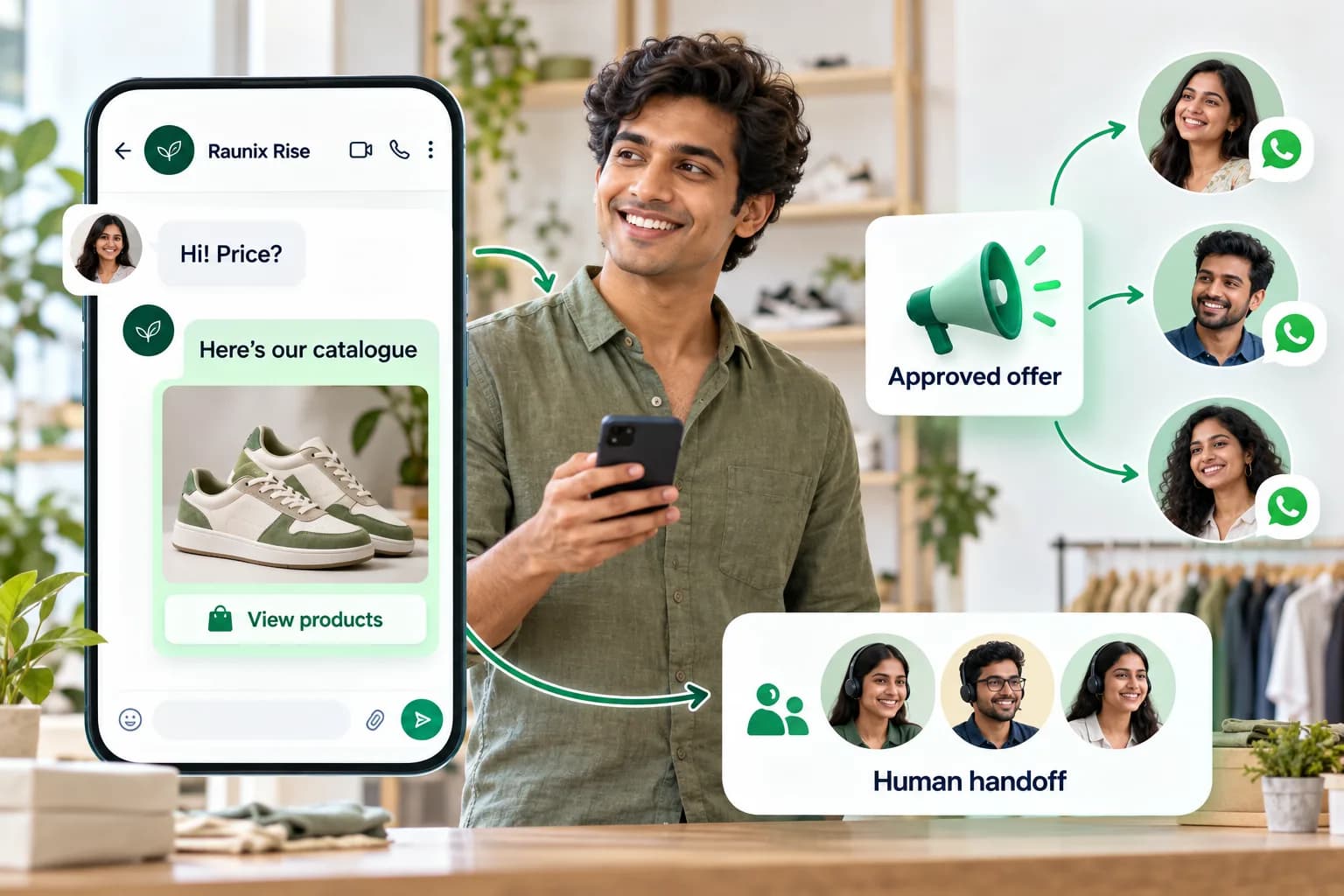
A boutique owner receives a price question, shares a product catalogue, broadcasts an approved offer to customers and hands a chat to a teammate.
Illustrative customer journey
  1. 1Customer starts a chat
  2. 2Share a helpful reply
  3. 3Give your team the next step
02Instagram

Turn Reel comments into enquiries.

Choose the account and content. Let the right comment start the conversation.

  • Multiple accounts
  • Posts & Reels
  • Keyword triggers
  • Private replies
  • Public replies
  • Enquiry tags
Explore features

Select an eligible professional account and specific posts or Reels. Match keywords, preview your private reply, add an optional public acknowledgement and review delivery activity. Each account can use its own rules.

Private replies follow Meta eligibility and messaging rules. Continue conversations in Meta’s inbox after the customer responds.Get started with Instagram
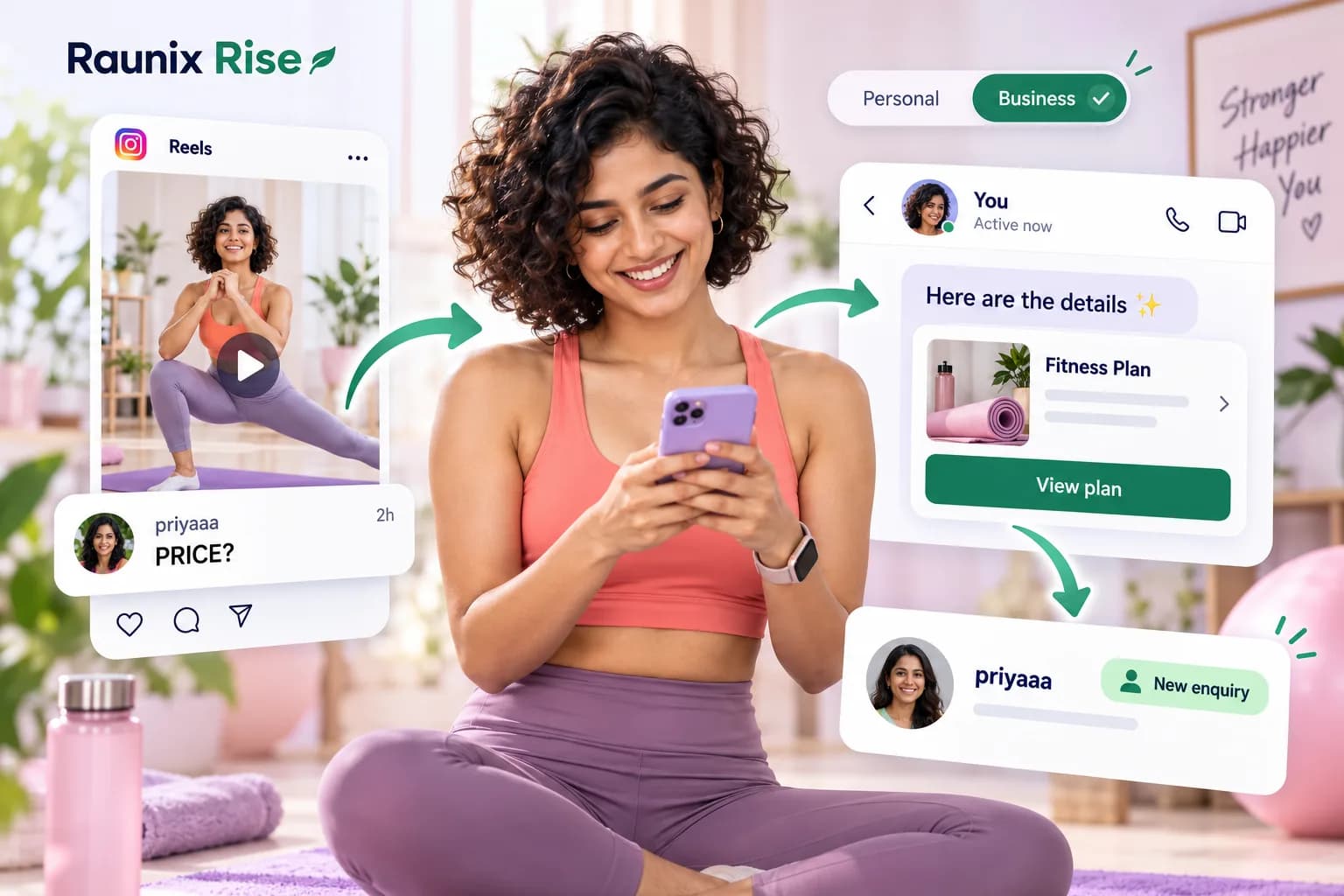
A fitness creator selects her business account. A PRICE comment on her Reel leads to a private message with a plan link and a saved enquiry.
Illustrative customer journey
  1. 1Someone comments PRICE
  2. 2Send the details privately
  3. 3Save and organise the enquiry
03Facebook Pages

Every Page. A helpful next step.

Answer interested people and bring the right teammate into the conversation.

  • Choose a Page
  • Posts & Reels
  • Comment matching
  • Private replies
  • Team handoff
  • Reply activity
Explore features

Connect business Pages, choose the posts you want to work with and set up keyword-based responses. Share eligible private replies, acknowledge comments and keep incoming enquiries organised for your team.

For Facebook Pages with the required permissions and messaging enabled.Get started with Facebook Pages
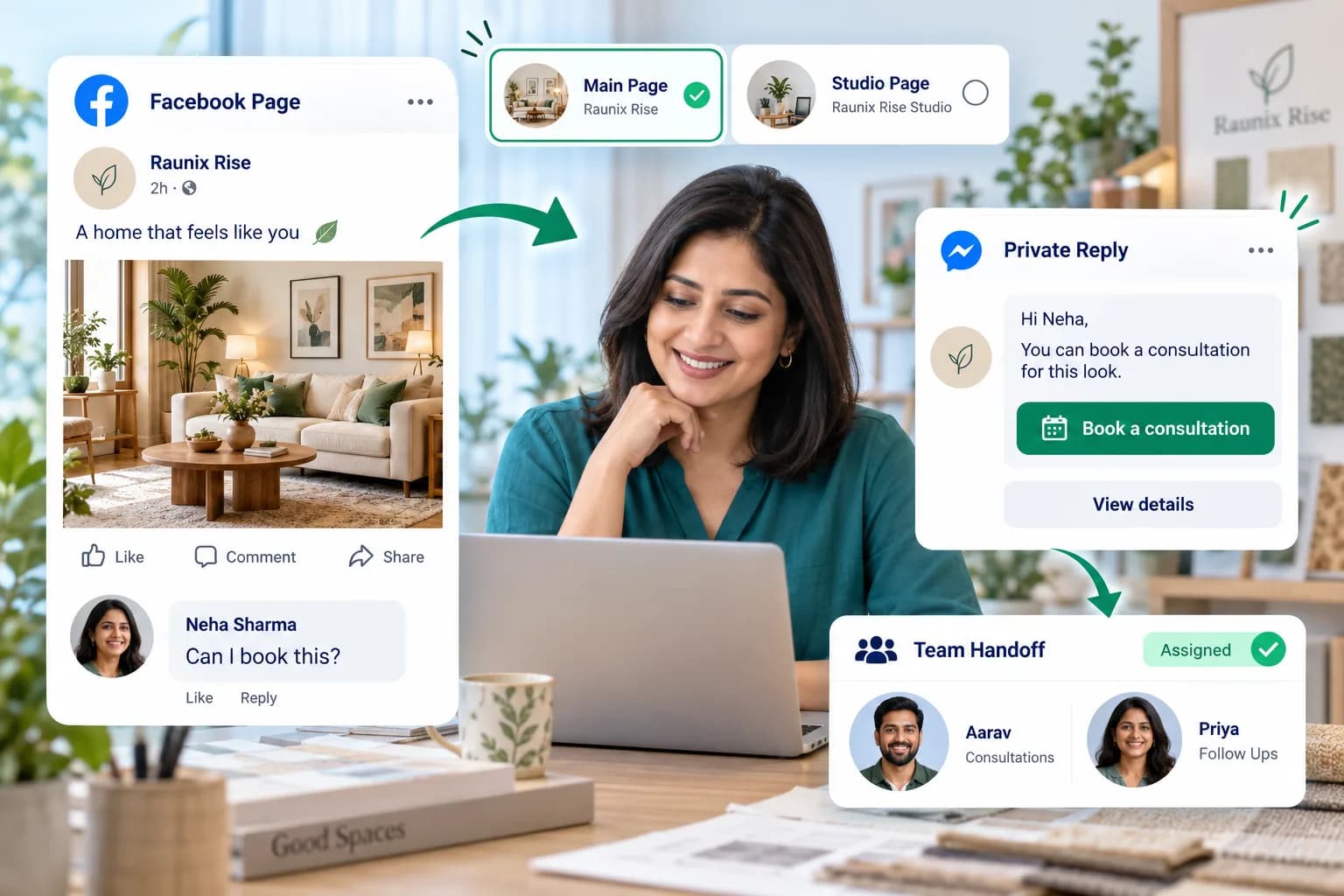
A home-decor owner chooses a Facebook Page. A booking question on a post becomes a consultation link and an enquiry assigned to the team.
Illustrative customer journey
  1. 1A customer asks on your post
  2. 2Share a useful link
  3. 3Organise the team follow-up
04YouTube

Give curious viewers a clear answer.

Helpful public replies on the videos and Shorts you choose.

  • Choose a channel
  • Videos & Shorts
  • Match questions
  • Public replies
  • Demo & pricing links
  • Activity history
Explore features

Create keyword rules for pricing, demonstrations and common questions. Apply them to chosen videos or channel content and review recorded reply outcomes.

Replies are public. Comments are checked on a schedule and require Google authorization.Get started with YouTube
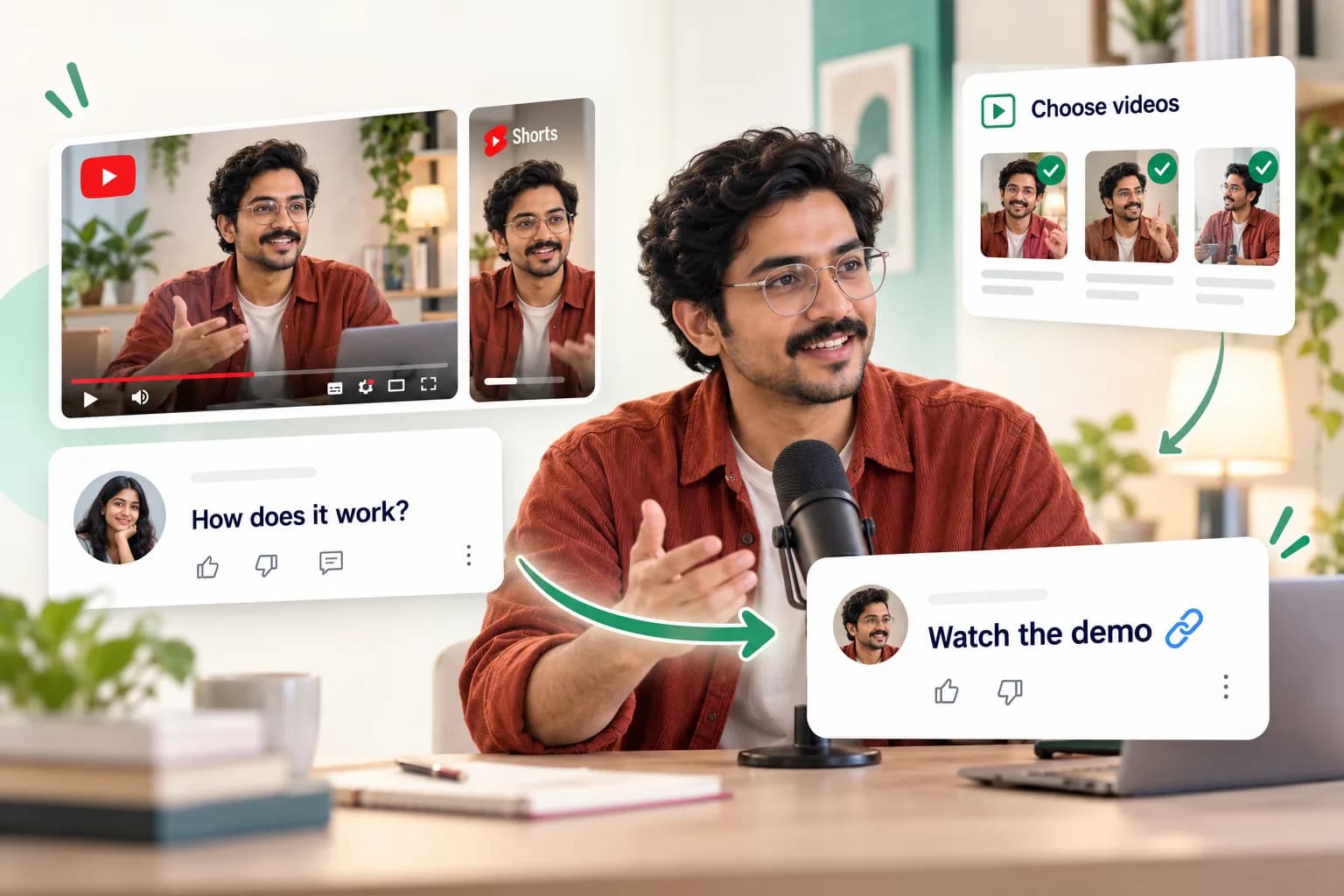
An educator chooses videos and Shorts. A viewer asks how it works, and a public reply shares a demonstration link.
Illustrative customer journey
  1. 1Pick your videos or Shorts
  2. 2Match a viewer’s question
  3. 3Reply publicly with a link
05Google Reviews

A review deserves a thoughtful reply.

Use rating-based responses to show customers you’re listening.

  • Business Profiles
  • Review monitoring
  • Star-rating rules
  • Personalised replies
  • Preserve existing replies
  • Response tracking
Explore features

Connect an eligible Business Profile, monitor reviews and prepare responses for different rating ranges. Include the reviewer’s name and keep track of response outcomes.

Requires a connected eligible Business Profile. Reviews that already have owner replies are preserved.Get started with Google Reviews
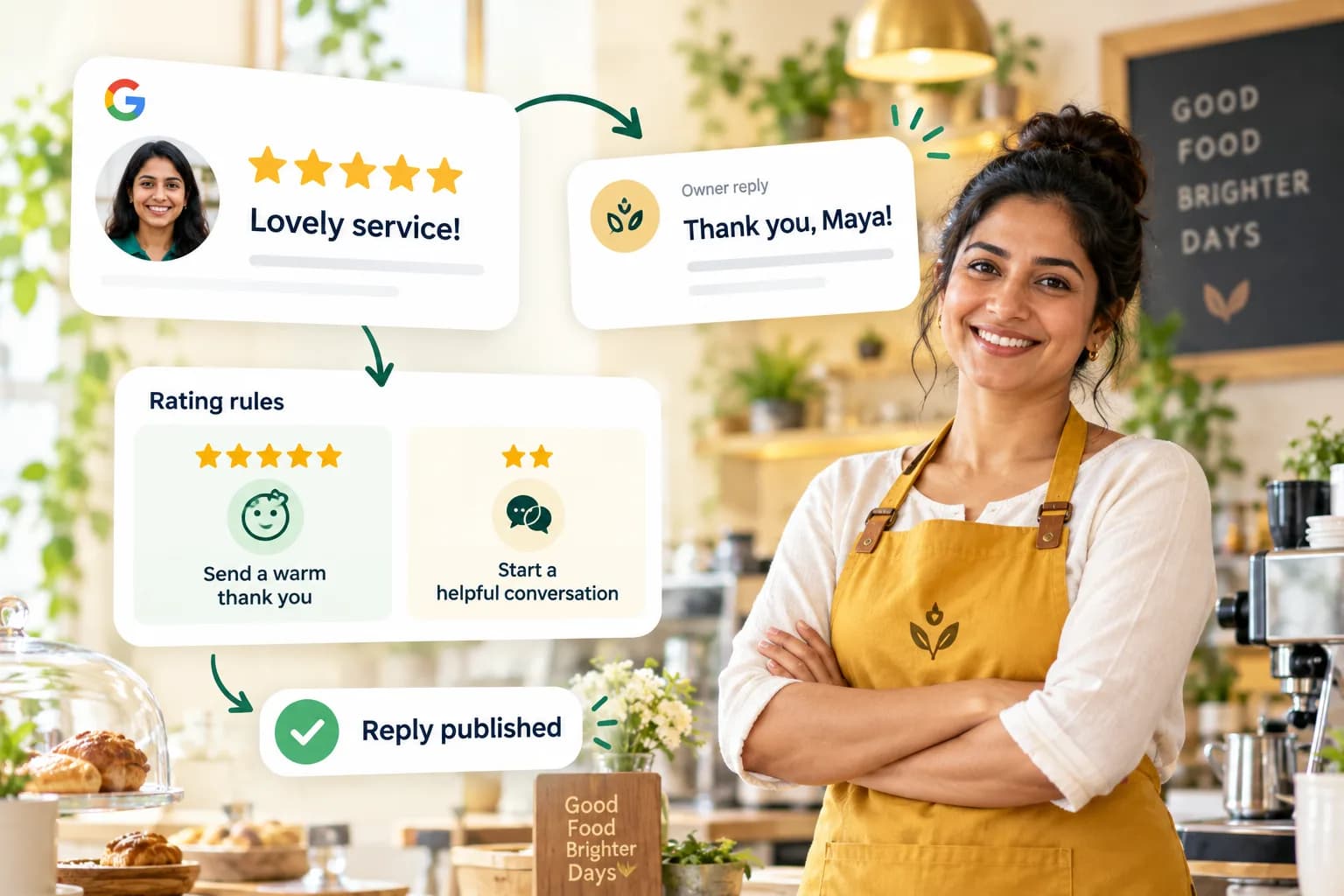
A cafe owner receives a five-star review, applies a rating-based rule and publishes a personalised thank-you. A lower-rating rule uses a helpful response.
Illustrative customer journey
  1. 1A customer leaves a review
  2. 2Match the star-rating rule
  3. 3Publish a personal response
06Renewals & reminders

Keep the next renewal moving.

Due dates, reminders, verified payments and the next service cycle.

  • Recurring services
  • Scheduled reminders
  • Invoices & balances
  • WhatsApp follow-ups
  • Payment verification
  • Next-cycle tracking
Explore features

Track recurring customer services, due dates, invoices and unpaid balances. Configure reminders before or after the due date, then advance the renewal cycle when payment is verified.

A payment screenshot alone does not confirm received funds. Reminders depend on messaging eligibility.Get started with Renewals & reminders
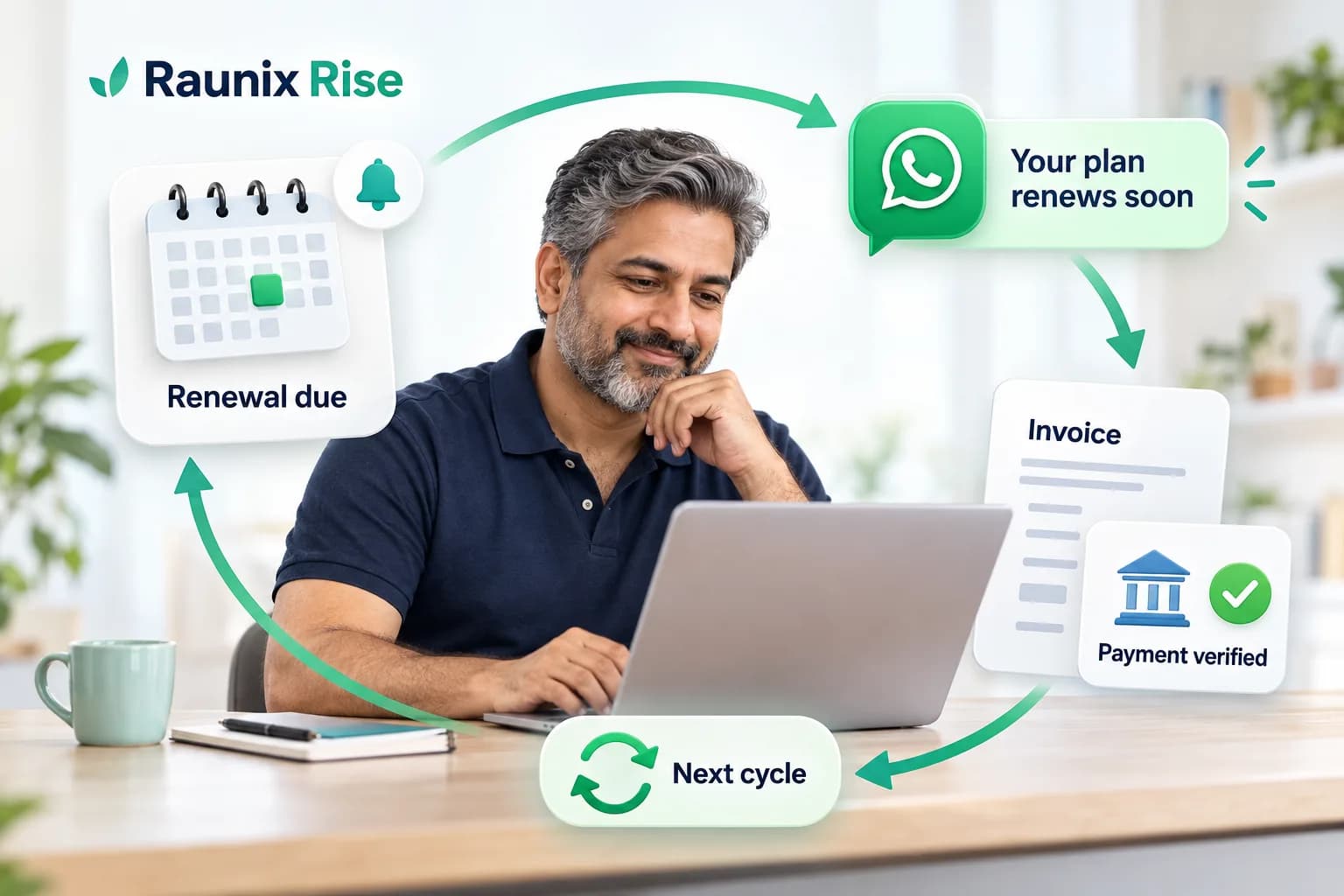
A service owner tracks a renewal date, sends a WhatsApp reminder, verifies a payment with an invoice and starts the next service cycle.
Illustrative customer journey
  1. 1Set the service and due date
  2. 2Send a timely reminder
  3. 3Verify payment and renew

MORE OF YOUR BUSINESS, CONNECTED

From conversations to everyday work.

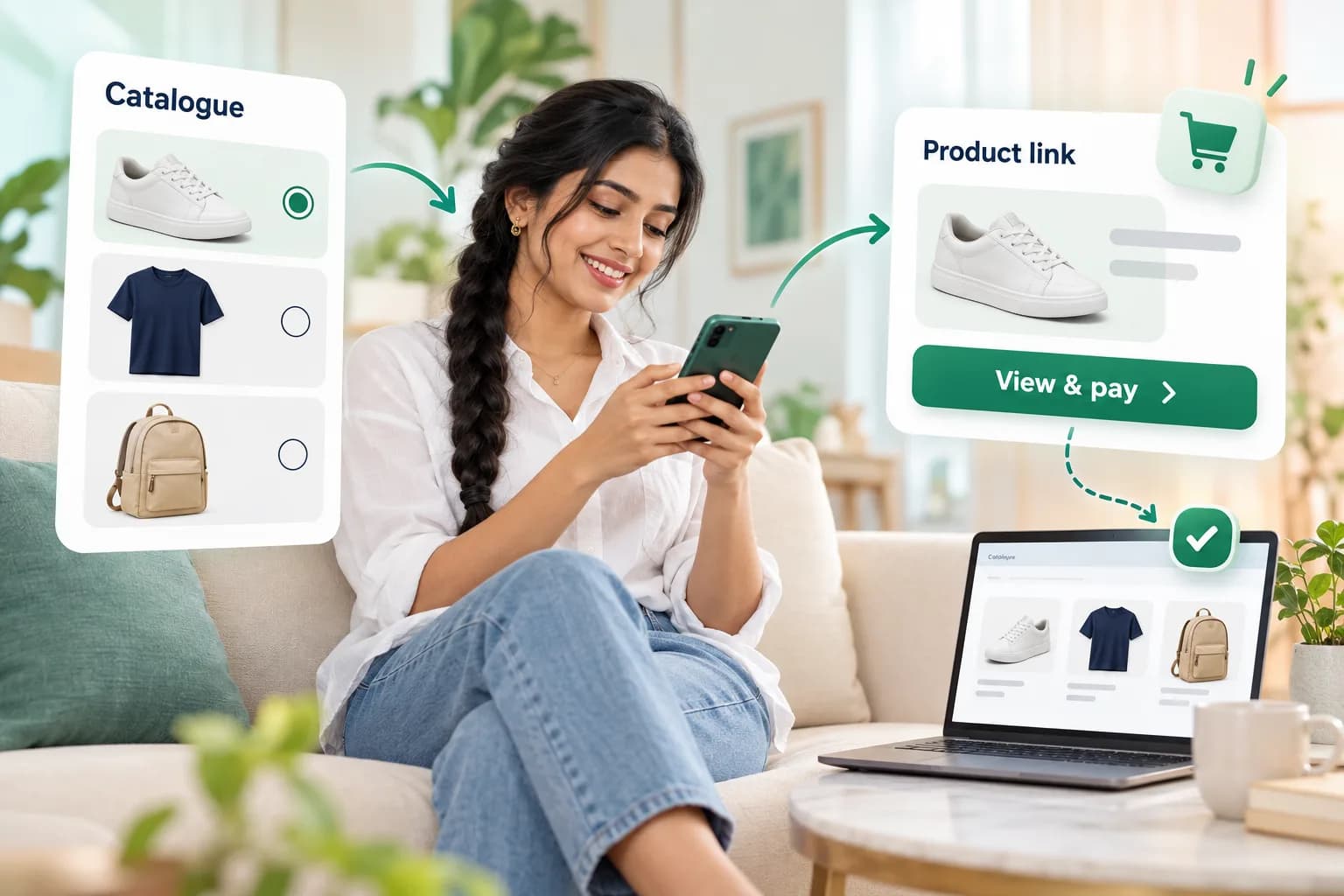
A customer browses a product catalogue on her phone, chooses a product and follows its payment link. A connected store supplies catalogue information.

CATALOGUES & COMMERCE

Show it. Share it. Sell it.

  • Products & services
  • Booking & payment links
  • Store catalogue connections
A shared inbox distributes customer conversations to teammates, with customer labels and follow-up statuses.

CONTACTS, CRM & TEAM

One enquiry. The right person.

  • Assignments & notes
  • Tags, lists & customer history
  • Sales stages & follow-up dates
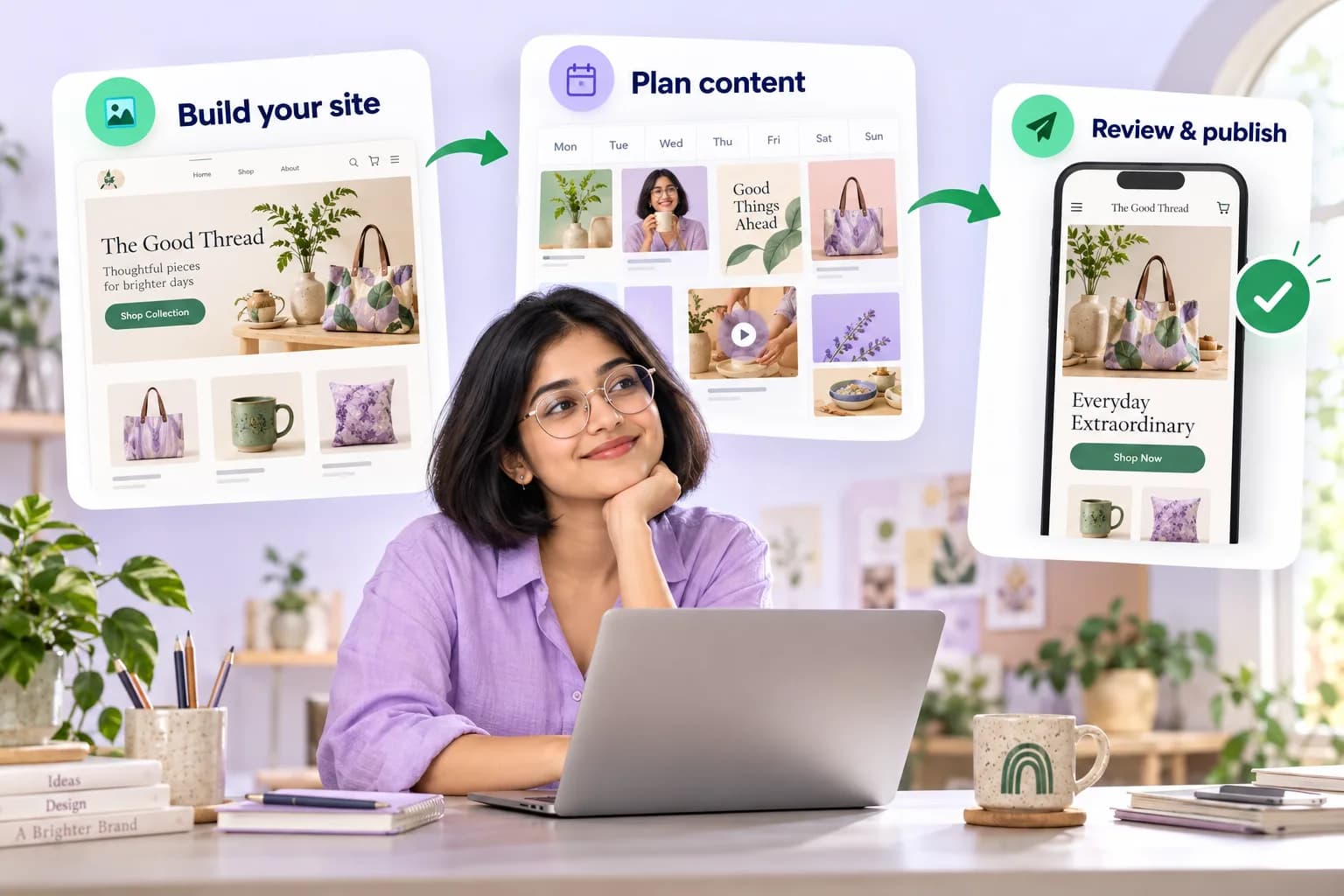
An entrepreneur builds a website, prepares a visual content calendar and reviews her mobile storefront before publishing.

WEBSITES & CONTENT

Build your presence. Plan your growth.

  • Website templates & previews
  • AI copy, captions & creative briefs
  • 7-day & 30-day content plans

One scan. Start a conversation.

QR entry points · Product catalogues · Chat & booking links

MessageYour ruleTeammate

Your automation, your rules.

Keyword replies · Labels · Human handoff

Branding
Requirements
Review & quote

Prepare your branded app.

Save your brief · Track delivery · Review releases

Build and store submission require supported sources and developer setup.
Delivery
Conversations
Collections

See what’s happening.

Campaign activity · Customer work · Payment status

Connected checkout and booking links open your existing services. Content plans are reviewed before use; website publication is a separate action.

YOUR ACCOUNTS. YOUR CHOICE.

Choose the account. Pick the content. Set the reply.

Run a different automation for each account, Page, Reel or video.

Connect your first channel

Illustrative customer journeys. Features depend on connected accounts, permissions and platform eligibility. Payments are confirmed after verification.